From Istanbul to the Gulf: launching your app in Arabic
Taking your app from Turkey to the UAE and Saudi Arabia? A Gulf launch needs right to left screens, Arabic store pages, local payments and data rules.
· 11 min read
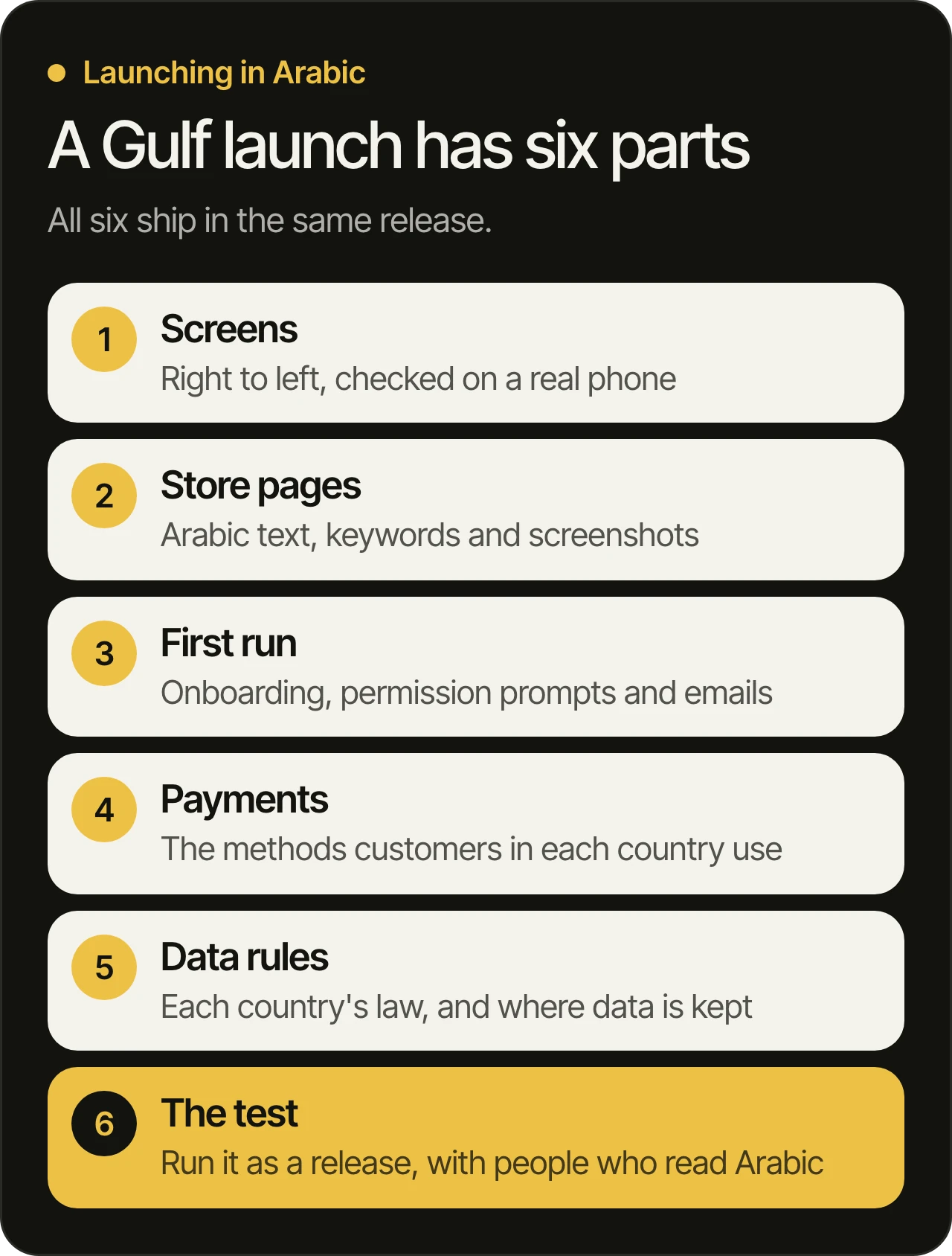
Your app works in Turkey, and now you want Arabic-speaking users in the UAE and Saudi Arabia to find it, trust it and pay in it. A Gulf launch is a release of its own: right to left screens, Arabic store pages and onboarding, each country’s payments and data rules, all tested together before you submit. MobiStack Digital takes over, fixes and builds mobile apps and web platforms, and this is how we would plan that release with you.
In short
- A Gulf launch ships as one release. Screens, store pages, first run, payments and data rules change together, so they are planned and tested together.
- Right to left changes layouts, not only words. Apple’s guidelines and Android’s documentation both ask for mirrored screens, while logos, photos and the digits inside a number stay as they are.
- Each store page needs its own Arabic. On App Store Connect a language you add uses the first language’s screenshots by default. On Google Play a listing with no translation is shown through automated translation.
- Payments and data law differ by country. The UAE and Saudi Arabia each publish their own personal data law, so check both with your lawyer before you launch.
Why is a Gulf launch a release of its own?
Because almost everything a user touches changes at once: the direction of every screen, the words in the store, the first run, the way people pay and the rules for their data. Shipped one piece at a time, each change breaks something else. Planned as one release, it can be tested as one.
The core of your app can stay as it is: the main task, the back end, the accounts. What changes is the layer a new user meets first. A mirrored layout with Arabic text that reads naturally looks made for the user. A left to right screen with Arabic pasted in does not. One untranslated error message, one wrong arrow and one missing payment method are each small, and together they add up.
What does right to left change on your screens?
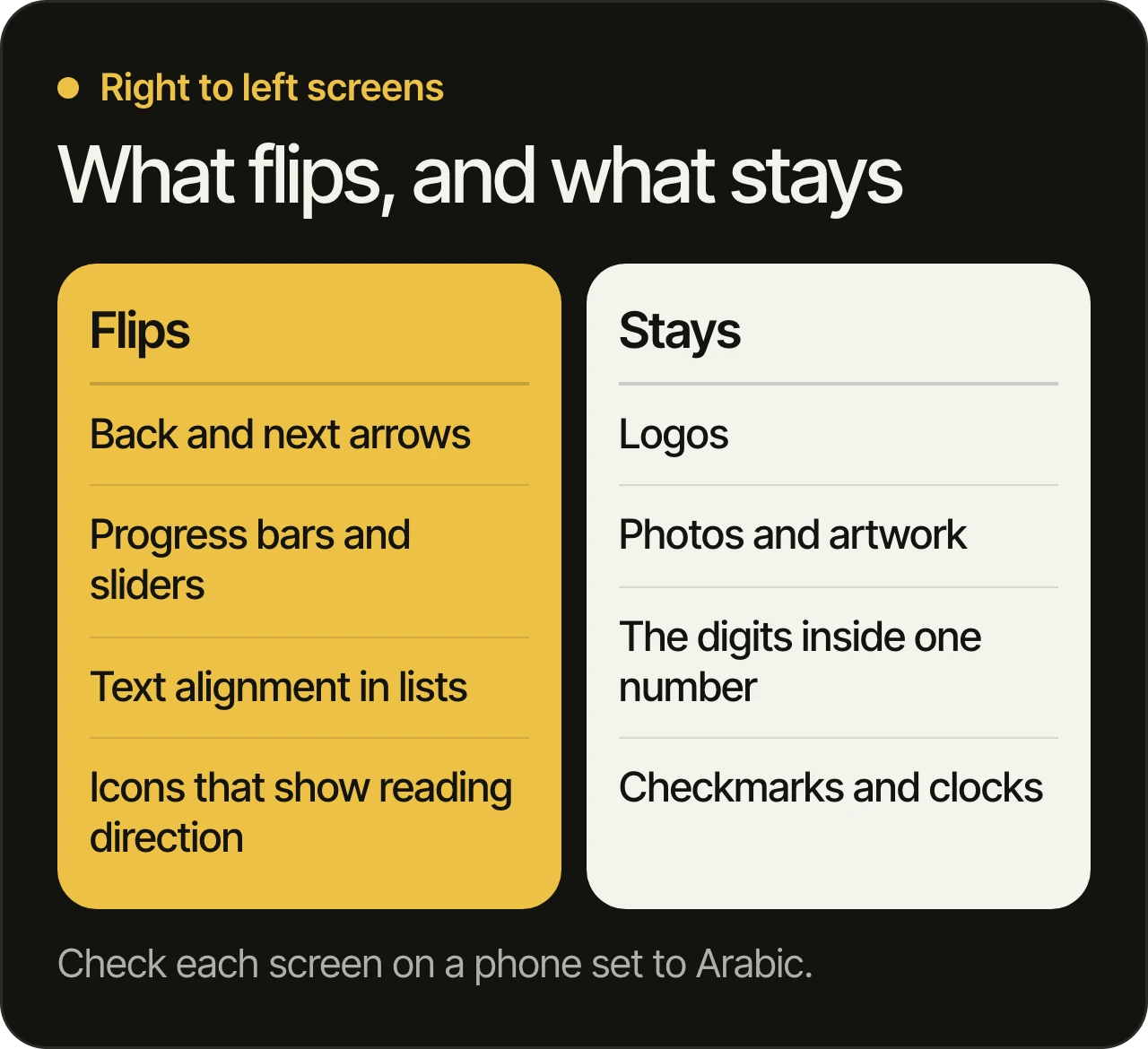
Layouts mirror. Menus, back arrows, progress bars and list alignment follow the reading direction, while logos, photos and the digits inside a number stay as they are. Standard components on Apple’s system frameworks flip automatically, but custom screens, icons and mixed Arabic and Latin text need checking by hand.
We read Apple’s page on right to left (opens in a new tab) and Android’s guide to supporting different languages (opens in a new tab) on 13 November 2026. Neither shows a date of its own. Their guidance lines up:
- Flip what shows order or progress. Apple says to flip controls that show progress, and to flip controls that help people navigate or access items in a fixed order. Android asks for right-aligned menus and text and forward arrows that point to the left.
- Do not flip everything. Apple says to avoid flipping photographs and artwork, and never to flip logos or universal marks such as a checkmark.
- Keep numbers whole. Apple says the digits in a specific number, such as a phone number or a card number, always appear in the same order.
- Mixed text needs care. Android warns that text inserted into a message, such as a name or an address in Latin letters inside an Arabic sentence, can display wrongly unless the app declares its direction.
Ask a team to show you a custom screen, not a standard one, in both directions. Standard screens mostly look after themselves. Custom ones are where the work is.
What goes on an Arabic store page?
A name, description and keywords written in Arabic, plus Arabic screenshots and graphics. On App Store Connect, a language you add uses the first language’s screenshots by default. On Google Play, a listing you do not translate is shown through automated translation. Both stores treat the page as separate from the app.
Apple’s help page on localizing app information in App Store Connect (opens in a new tab) says the languages on the App Information page are part of your app’s metadata, which “differs from adding languages to your app in Xcode when you localize your binary.” Adding Arabic to the store page does not make the app Arabic, and the other way round. Apple’s list of App Store localizations (opens in a new tab) includes Arabic and Turkish, and shows Arabic as an additional language for Saudi Arabia and the United Arab Emirates. We read it on 13 November 2026, and it shows no date of its own.
Google’s help page on translating a store listing (opens in a new tab) says you can add your own translations and localized graphic assets in Play Console, order human translations through a vendor, or order machine translations, and that machine translations “are not reviewed or approved by humans.” We read both pages on 13 November 2026. Neither shows a date of its own.
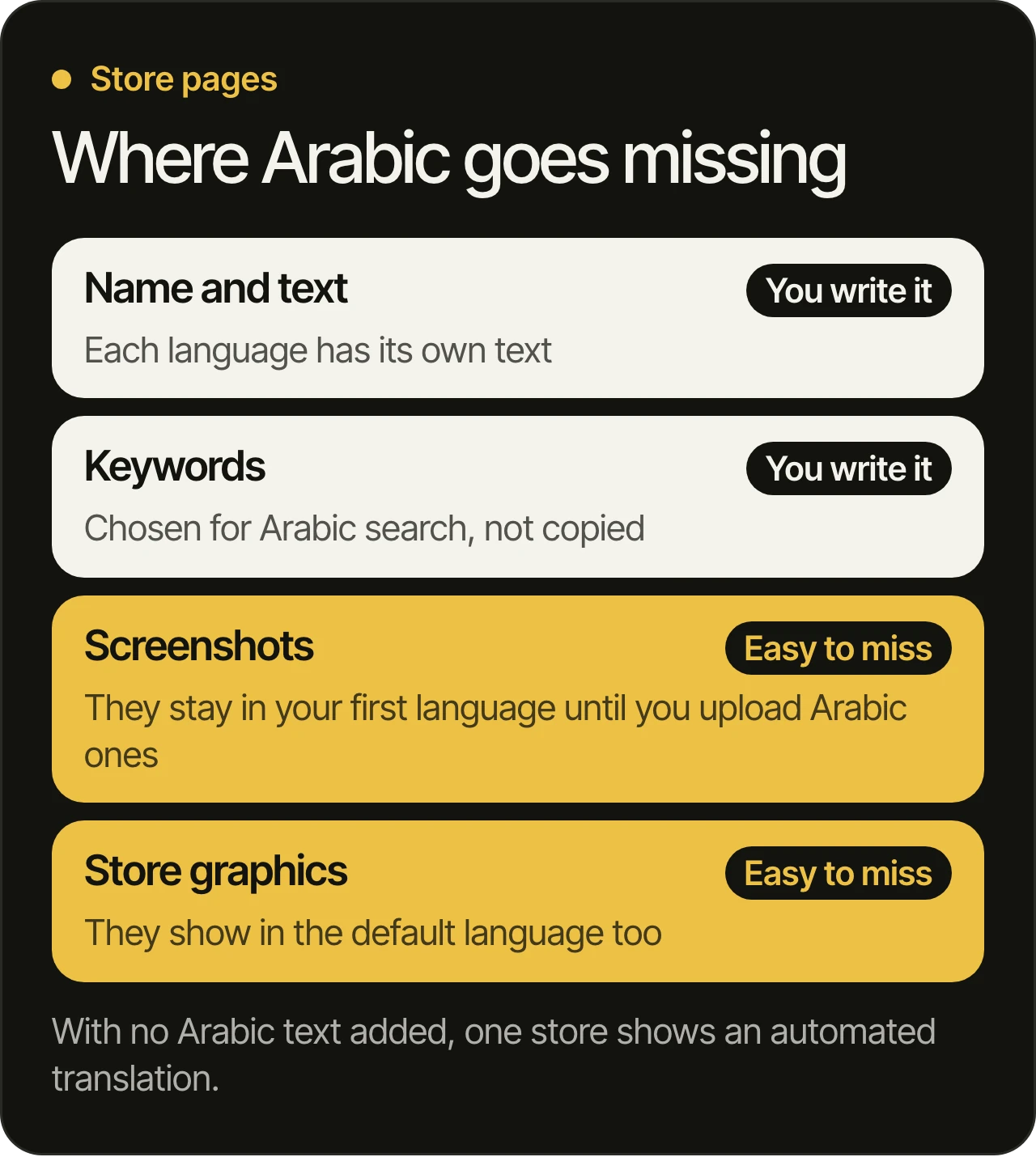
Two habits help. Have a person who reads Arabic write or check every line, and choose keywords for Arabic search instead of copying the first language’s. And keep the store accounts in your company’s name: with us, code, accounts and store listings are in the client’s name, so an Arabic listing belongs to you from the first upload.
How should onboarding change for Arabic users?
Start where the user is. The first screen should follow the phone’s language, with a clear way to switch, and every prompt, email and receipt should match it. Ask for as little as the first task needs. Each permission request and sign-up field is read in Arabic, so each needs wording written in Arabic from the start.
The first run is where most of the small gaps show. Go through it screen by screen:
- Language. Follow the phone’s setting by default. Android 13 lets people choose a language for each app, if the app declares which languages it supports.
- Sign-up fields. Names and addresses mix scripts, and phone numbers keep their digits in order whatever the language. Test a name typed in Arabic and one typed in Latin letters.
- Permission prompts. The system’s own text follows the phone, and your explanation above it should too.
- Messages after sign-up. Welcome emails, push notifications, receipts and error messages are part of onboarding. So is the support reply when someone asks for help.
Our UI and UX design work covers flows like this one.
Which payments should you plan for in each country?
The ones customers in that country already use, which you learn by asking them. Plan each method as its own test: a payment that drops halfway, a refund, a receipt in Arabic. Keep the payment account in your company’s name.
The Saudi Central Bank’s page on its national debit card scheme (opens in a new tab) says the scheme is owned by the bank, is reached through point-of-sale devices, ATMs and e-commerce sites, and that online card payments use 3D Secure. The page shows a 2025 footer and no date of its own, and we read it on 13 November 2026. It is one example of why a method that matters in one country may not exist in the next.
Which provider you use is a business decision, and the app should work with whichever you choose. Ask the team:
- What happens when the connection drops during a payment? The customer should not be charged twice, and your staff should see what happened.
- How are refunds and cancellations handled? Someone on your side should be able to do it.
- Which language and currency do receipts use? They are part of the product.
Which data rules apply when your app serves the UAE and Saudi Arabia?
Each country has its own federal personal data law, and both can apply once you have users there. We are a software team, not lawyers, so your lawyer tells you how they apply to you. We build so that the answers can be put into practice: consent, requests from users, and a deliberate choice of where data is stored.
On the UAE side, the government’s page on data protection laws (opens in a new tab), which shows “Updated On 04 Dec 2025”, says the federal law took effect on 2 January 2022 and covers processing of personal data through electronic systems. It prohibits processing without the owner’s consent, apart from exceptions, and it gives the owner the right to ask for corrections and to restrict or stop processing. It also sets requirements for sending personal data across borders.
On the Saudi side, the Saudi Data and AI Authority (SDAIA) publishes the Personal Data Protection Law as a PDF (opens in a new tab), alongside an implementing regulation and a regulation on sending personal data outside the Kingdom. Its data protection page (opens in a new tab) is the place to start. The law applies to processing in the Kingdom, including data about people living there that is processed from outside, and your lawyer should read the current text.
Rules in the country where your company is based may apply as well, and your lawyer can say how they sit beside these two. For the build, three choices matter early:
- Where the servers are. Choose the hosting region on purpose and write it down.
- Which outside services receive personal data. Analytics, email and support chat each send data somewhere.
- How consent and requests are recorded. A consent screen that nobody records does not help you later.
How do you test a Gulf launch as a release?
Run the whole journey, not single screens: install from the Arabic store page, sign up, pay, receive the email and ask for your data. Do it on real phones set to Arabic, with at least one person who reads Arabic, then fix what you find and run it again before you submit.
- Set a phone to Arabic and use it for a day. On Android 4.4 and later, developer options include “Force RTL layout direction”, which shows even English text in right to left mode, so you can check layouts before the Arabic text is final.
- Check every custom screen in both directions. Look at arrows, progress bars, icons and anything drawn by hand.
- Read the store pages as a user would. Check the Arabic text, the screenshots and the graphics on both stores.
- Run each payment method you plan to offer. Include the failures, not only the success.
- Make a consent choice and a data request. Confirm that someone on your side can answer it.
- Put the build in front of people who read Arabic. Android’s documentation asks for exactly this: invite people who use right to left scripts to use your app.
This is how we release anyway. You get a new build to try every week, so the Arabic layouts, the store pages and the payment flows can be tried as they take shape. Every change passes automated tests and automated code review, and one of our developers reads it before it ships. Our developers build with AI and review every line, and how we test and review every change explains what that means in practice.
What should you ask a team that offers to launch you in the Gulf?
Ask the team to show you each answer. A team that has done this can show you a custom screen in both directions, an Arabic store page with its own screenshots, a payment that failed and recovered, and a consent record. A team that has not will describe them.
- Screens. “Show me one custom screen in both directions, with a Latin name inside an Arabic sentence.”
- Store pages. “Who writes the Arabic text, and where do the Arabic screenshots come from?”
- Payments. “Which methods will you set up for each country, and what happens when a payment drops?”
- Data. “Where are the servers, and which outside services receive personal data?”
- Ownership. “Will the code, the store accounts and the store listings be in my company’s name?”
Our office is in Dubai, and our team works remotely in Beirut. We have no office in Istanbul or Turkey, so we work with you through calls and written updates, in English, Arabic or French. If someone else built your app and you are not sure who holds the accounts, taking over an app from another developer lists what to check first.
Questions owners ask
Do we need a separate Arabic app, or one app with Arabic added?
Usually one app with Arabic added. The app gets Arabic text and mirrored layouts, and each store page gets its own Arabic text and images. Both stores treat the page as metadata that is separate from the app’s own languages, so plan both pieces of work.
Is machine translation enough for the store page?
It is a start, not a finish. Google says machine translations of a store listing are not reviewed or approved by humans, and the store page is the first thing a new user reads. Have someone who reads Arabic go through every line, including the screenshots.
Should the app use Western digits or Eastern Arabic digits?
Ask users in each country. Apple’s guidance says the use of the two varies among countries and regions, and even among areas within the same country. For an app that is not about numbers, Apple says it can generally rely on the system’s own number display, which follows the user’s settings.
Can we launch in the UAE and Saudi Arabia on the same day?
You can, if each country has been checked on its own: its payment methods and its data law. The two share a language, but each has its own rules, so the checks are done twice.
Can a team in Dubai work with a company based in Istanbul?
Yes. We work with you through calls and written updates, in English, Arabic or French. We have no office in Istanbul or Turkey, and the release does not need one on either side.
Want to talk it through?
Book a free 45-minute consultation and tell us where the app is today and which Gulf country comes first. We go through your product before the call, and we can tell you which of the six parts needs the most attention. You can read more about our work across the region.