Why apps fail after launch, and how to decide what to fix first
When an app struggles after launch, the code is rarely the only cause. How to find the decisions behind it, and the order we fix them in.
· 7 min read · Updated
Your app is live. People download it, some of them sign up, and then the numbers flatten. Reviews mention crashes, someone suggests a redesign, and nobody can say which problem matters most.
Most products do not fail on code. They fail on decisions. A slow screen, a signup that loses people halfway, a feature nobody uses: each one started as a decision somebody made, or one nobody made at all. If you only look at the code, you fix symptoms. If you look at the decisions behind it, you can fix the cause, and you can tell which fixes are worth doing first.
In short
- Most apps that struggle after launch are held back by decisions more than code: a brief nobody questioned, releases that are rare and risky, a signup that asks too much, crashes that never make the list.
- Start from what the product has to do for the business: who uses it, what the business needs from them, and where they stop before they get there.
- Fix in this order: what stops people from doing the main thing, what costs customers, what makes every later change risky, and then what can wait.
- Measure first, then release small changes often, so you can see which decisions worked and change course when one did not.
What a bad decision looks like from the outside
Products that underperform tend to show the same few patterns. None of them start in the code.
- Features built to a brief nobody questioned. The feature works exactly as specified. The specification was wrong, so nobody uses it.
- Months between updates. When releases are rare and risky, every problem waits for the next big release, and the team stops learning from the people using the product.
- Screens people give up on. A form that asks for too much too early, or a step that only makes sense to the team that built it.
- Crashes and slow screens that never make the list. Each one looks small on its own. Together they decide whether people come back.
- Code and accounts someone else controls. If you cannot build, release or even see your own product without the agency, every decision waits on them.
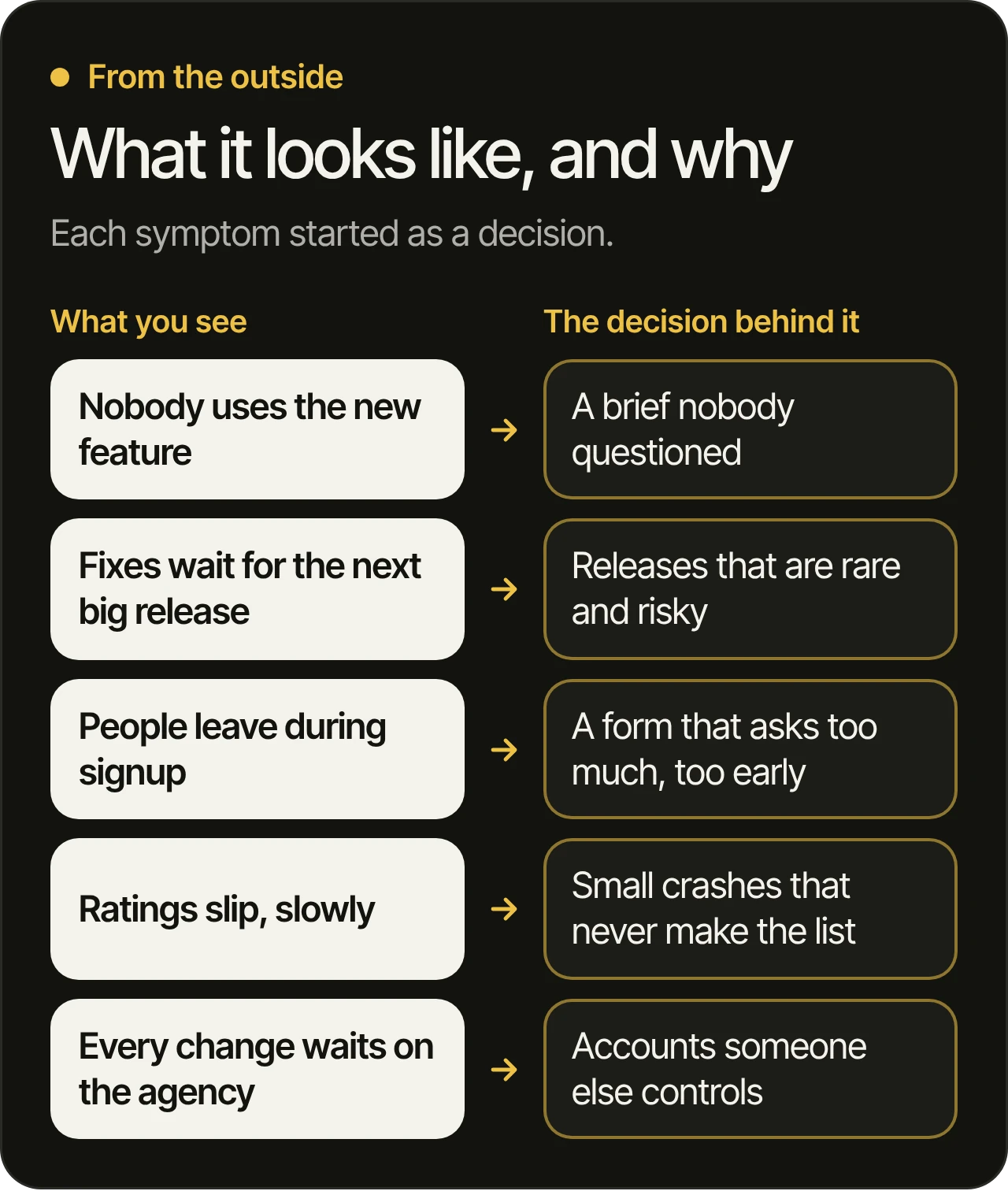
The code itself is often fixable. The decisions around it are what keep the product stuck.
Start with what the product has to do for the business
Before we change a line, we learn what the product has to do for your business. That comes down to a few plain questions:
- Who uses it, and what do they come to do?
- What does the business need from them: a booking, a purchase, a subscription, a habit?
- Where do they stop before they get there?
- What does it cost the business when they stop?
The answers turn a long list of complaints into a short list of goals. “The app feels slow” becomes “people leave the search screen before they find what they came for”, which is something we can measure, fix and check.
Where to find the evidence
You probably have more evidence than you think, and some of it is already waiting in your store accounts:
- The stores’ own reports. Google Play’s Android vitals (opens in a new tab) shows crashes and freezes, and Google says apps above its bad behavior thresholds are likely to be less discoverable on Google Play. Apple’s App Store Connect analytics (opens in a new tab) shows your downloads, and lets you compare retention and crashes from one app version to the next.
- Your own analytics. The steps to the main thing the product is for, and where people stop on the way.
- Reviews and support emails. Read them for patterns: the same screen, the same complaint, the same device.
- A walk through the product. Sign up as a new customer would, on a real phone, and note every step where it is unclear what to do next.
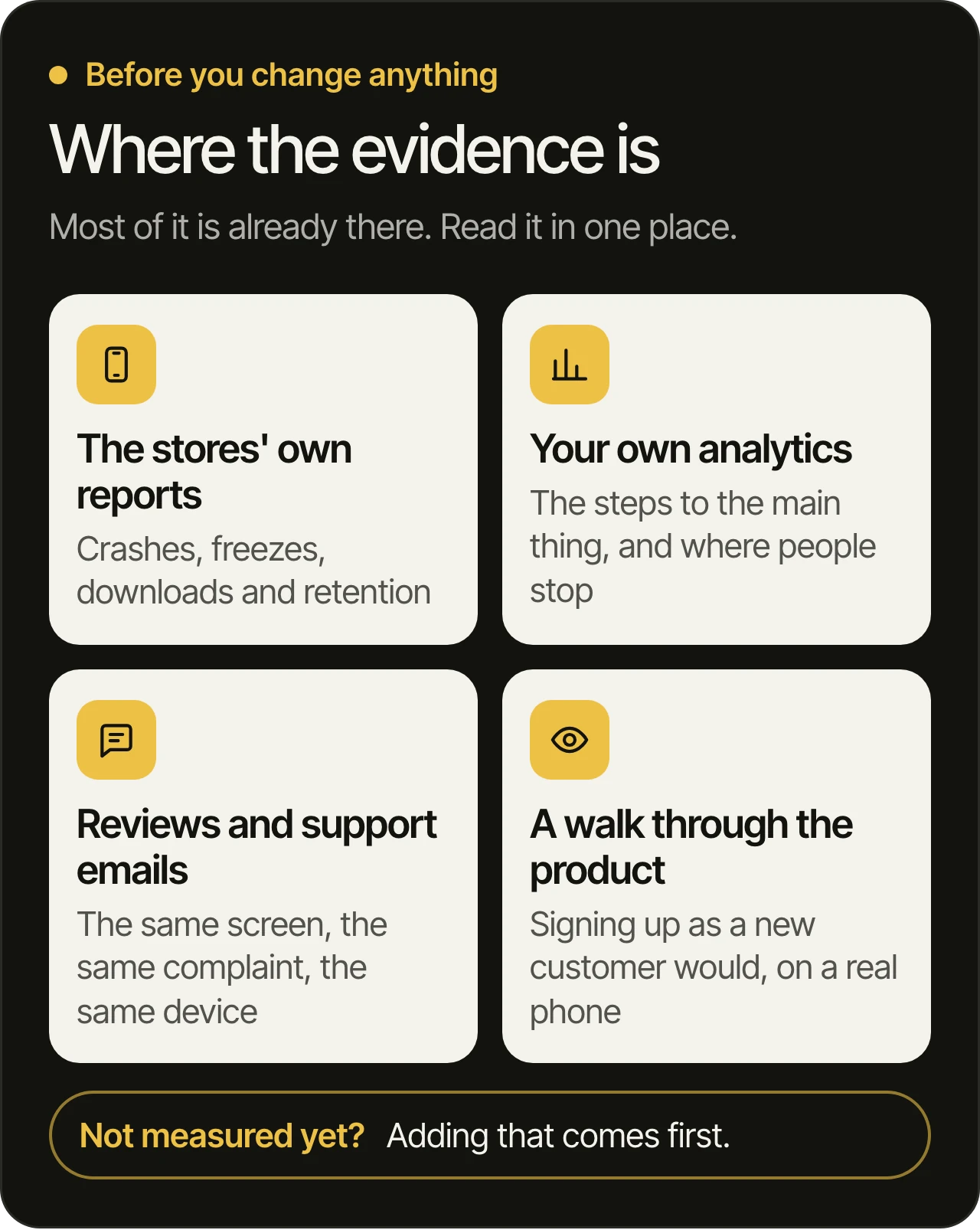
If the product does not measure its main steps yet, adding that measurement is often the first change, because every later decision depends on it.
How we decide what to fix first
Once the goals are clear, every possible fix gets the same questions, in this order:
- Does it stop people from doing the main thing? Crashes, broken flows and errors on the way to a booking or a purchase come first. Nothing else matters much while those are broken.
- Does it cost customers? Next come the places where people give up: the confusing step, the slow screen, the form that asks too much.
- Does it make every later change risky? Missing tests, a release process only one person understands, accounts nobody can reach. These never show on a screen, yet they decide how safely everything else can change.
- Can it wait? Plenty can. A redesign of a screen people rarely visit, a clean-up nobody will notice. Writing these down, with the reason they wait, is as useful as the fix list.
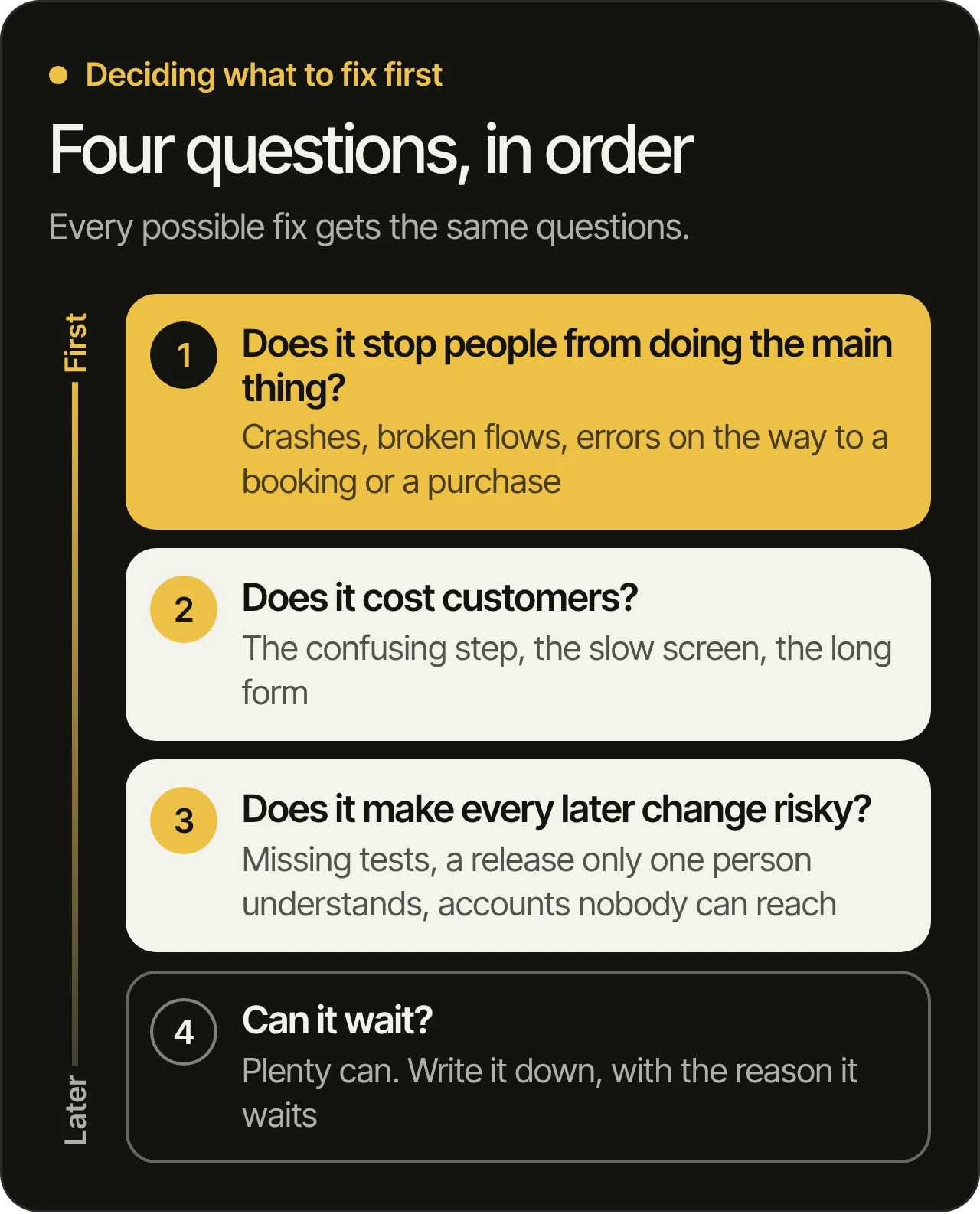
The order can change. It fits most live products that are stuck, and since every change on the list is tied to a goal of the business, the list moves when the goals do.
Release small changes, often
A product that ships rarely learns rarely. When every release is big, each one carries many changes at once, and when something goes wrong nobody can tell which change caused it.
Small changes, released often, work the other way. Each one is easy to check, easy to undo and easy to measure, so a wrong decision shows up early, while it is still small. On the products we look after, you get a new build to try every week, and every change in it passes automated tests and a review by one of our developers before it ships.
What this looks like in practice
At MobiStack Digital, a product we take over starts with a written audit: what we found, why each issue matters to the business, and what we would fix first. You read it before we start fixing. If the code and accounts are not in your name yet, that comes first too: here is what we check first in a takeover.
Then the fixes go in, in that order. Crashes and slow screens come first, with tests so they stay fixed. Once the code and accounts are in your name, the weekly builds start, so you can see each decision play out in the product itself and tell us when one is wrong.
Where the code comes in
None of this means the code does not matter. Bad code makes every decision harder to carry out, and it hides problems until they reach your customers. Our developers build with AI and review every line. Every change passes automated tests and a review by one of our developers before it ships. Here is how we test and review every change, and what you can check yourself.
Writing code got easier. Knowing what to write did not. AI changed how code gets written. It did not change who answers for it. The hard part of a stuck product is deciding, in the right order, what it should do next.
Questions owners ask
Why do most apps fail after launch?
It is rarely one bug. It is usually a run of decisions: features built to a brief nobody questioned, releases so rare that every problem waits, and steps where new users give up. Each looks small on its own, and together they decide whether people come back.
How can we tell whether the problem is the code or the product?
Look at where people stop. If they stop because the app crashes, freezes or shows an error, start with the code. If they stop on a screen that works but confuses them, or never reach the feature you built, the cause is a product decision. Most live products have some of both, which is why we look at both.
Should we add new features or fix what we have first?
Fix what stops people from doing the main thing first. A new feature on top of a broken signup only reaches the people who made it through. Once the main path works, new features get a fair chance to be used.
What should we measure before changing anything?
The steps to the main thing the product is for: opening it, signing up, the first real use and the payment, if there is one. Both stores already report crashes and retention, so start there. If a step is not measured yet, add that before you change it, or you will not know whether the change worked.
Do we need a full redesign?
Usually not as a first step. The evidence tends to point to a few flows where people give up, and redesigning those flows comes first. A full redesign is a decision for after the evidence, not before it.
How often should a live app get an update?
Often enough that a fix reaches people while the problem still matters, and in small steps, so each change is easy to check and easy to undo. With us, you get a new build to try every week (on a takeover, once the code and accounts are in your name), and every change in it passes the same tests and review.
Bring us your product
If your product is live but not doing what your business needs, book a free 45-minute consultation. We go through your product before the call, then show you what we would fix first, and how. You can also read how we work, and see our services, from taking over a product to the growth and care that follows once it is steady.