Mobile app development in Lebanon: weak connections, three languages
Building an app for Lebanon? How to plan for weak connections, power cuts, Arabic, English and French, and the way Lebanese customers pay.
· 10 min read
You are planning a mobile app for customers in Lebanon, or your current app keeps drawing the same complaints: it freezes when the connection drops, it looks wrong in Arabic, or people cannot finish a purchase. Mobile app development for Lebanon comes down to four choices: how the app behaves on a weak connection, what happens when the power goes out, how it reads in Arabic, English and French, and how people pay. MobiStack Digital takes over, fixes and builds mobile apps and web platforms, and this is how we would settle those four choices before the first screen is drawn. If you are still choosing who builds it, start with the questions to ask an app development company in Beirut.
In short
- Design for the slow path first. Show what is saved on the phone, keep what people typed, and send changes in the background with a retry that cannot do the same thing twice.
- Plan Arabic, English and French from the first screen. Language and direction belong to the whole app, so every screen has to flip and fit in all three.
- Support the payments people use, including cash on delivery. Offer cash and card side by side, and show every amount in the currency of the sale.
- Test on mid-range phones and weak networks before launch. Cut the connection in the middle of an order, restart the phone in the middle of a form, and switch the phone to Arabic.
What makes building an app for Lebanon different?
Your customers will often meet a weak connection, a power cut, three languages and a mix of cash and card payments inside one app. None of these is rare, so none of them can be an extra. They change the first screens you draw, and they are hard to add after launch.
The fourth one has a source: the US government’s guide to e-commerce in Lebanon (opens in a new tab) says cash on delivery remains prevalent. The other three are about what a screen does when the network drops, the phone dies or the language changes, and that is what the rest of this post covers.
How should an app behave on a weak or limited connection?
Treat the connection as optional. Show what is already saved on the phone first, keep everything the person typed, send changes in the background and retry without asking them to start again. Say clearly what is saved and what is still waiting. Keep downloads small, because data may be limited.
Show saved data first
Android’s own guidance calls this offline-first (opens in a new tab): the app reads from data stored on the phone, writes there first, and syncs with the server when it can. For a shop, that means the menu, the catalog and past orders open at once, with a small note on how fresh they are, instead of a spinner.
Keep what people typed
A form that empties itself after an error teaches people to give up. Save a draft on the phone as the person types: the cart, the booking details, the delivery address. When the app opens again, it offers to continue where they stopped.
Retry without doing it twice
When a request fails halfway, the app cannot know whether the server received it. If it simply sends again, an order can be placed twice. The fix is to give every action a unique reference at the moment the person taps, so the server recognises a repeat and does it once. The retry should also wait a little longer each time instead of hammering a weak connection, which Android’s guidance calls exponential backoff.
Keep images and screens light
Send images at the size the screen needs, not the size the camera took. Load text and prices first and pictures after, with a plain placeholder where a picture will be. Do not start video by itself. On a limited connection, each of these decides whether a screen opens at all.
Say what is happening
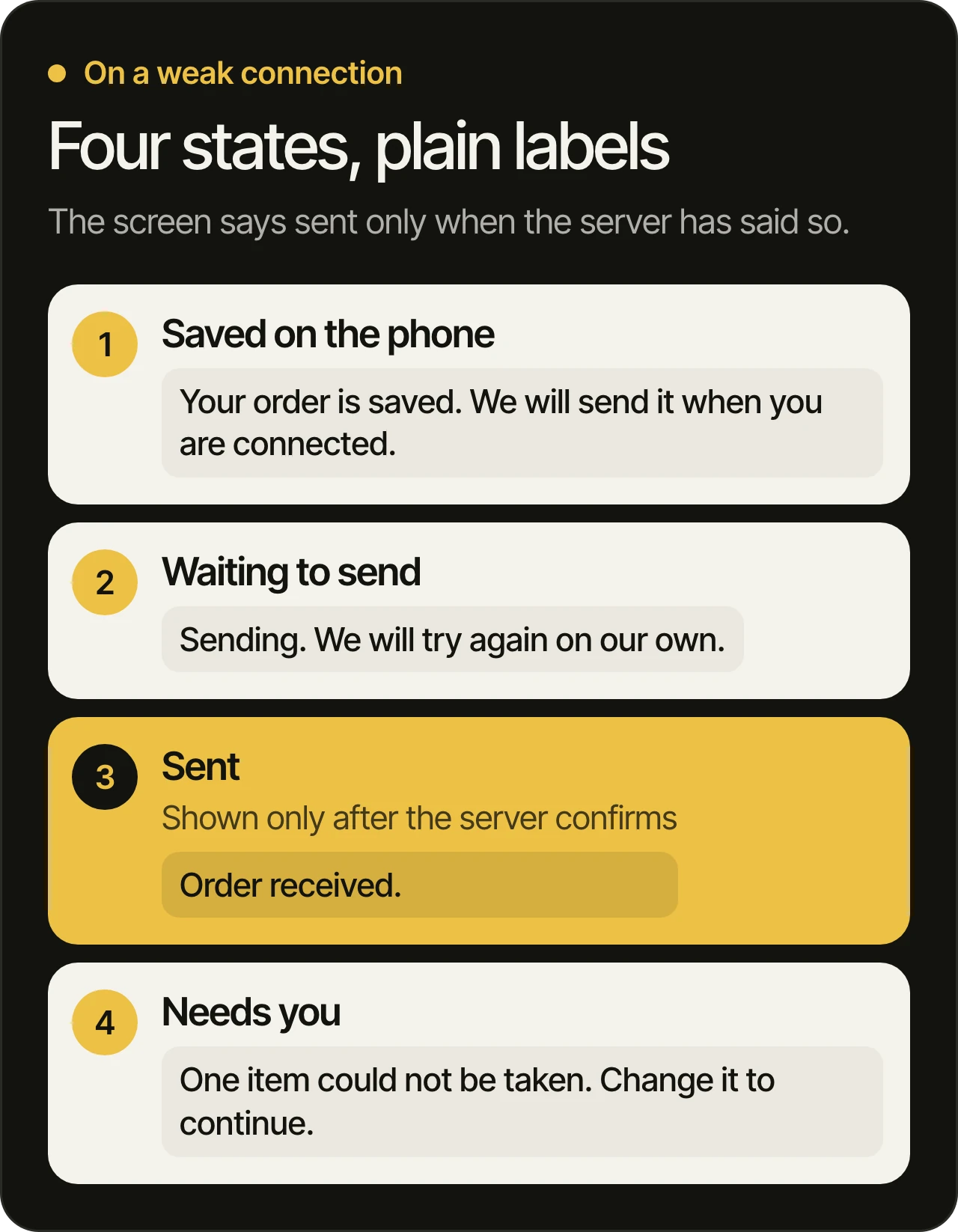
Four states are enough: saved on the phone, waiting to send, sent, and needs you. Each gets a plain label, and the screen never says “sent” before the server has confirmed it.
What happens to a session in a power cut?
The phone can die, restart or lose its connection mid-task, and the person comes back later. They should land where they stopped, still signed in, with nothing lost or done twice. That takes progress saved as they go, a sign-in that survives a restart, and a check of the last order before the cart reappears.
- Save at every step. Save when a field is filled in and when a screen changes, not only when the person taps the final button.
- Keep people signed in. A restart should not mean a new password. Codes sent by text message can arrive late on a weak network, so the screen waits and offers a resend instead of expiring in silence.
- Check before you retry. When the app opens after a crash, it asks the server whether the last order or payment went through before it shows the same cart again. This is where double orders start.
- Cover the staff side too. If your team uses a web platform in a shop, a clinic or a warehouse, a form should survive a reload and a dropped connection there as well.
How do you design one app in Arabic, English and French?
Make language and direction settings of the whole app, not copies of screens. Every text comes from a language file, every layout uses start and end instead of left and right, and the interface flips fully for Arabic. Then test each screen in all three, because French runs longer and Arabic mirrors the layout.
What flips and what stays
Apple’s right to left guidelines (opens in a new tab) draw the line, and Android’s guidance on languages and cultures (opens in a new tab) agrees on the basics: right-aligned text and menus, and forward arrows that point left.
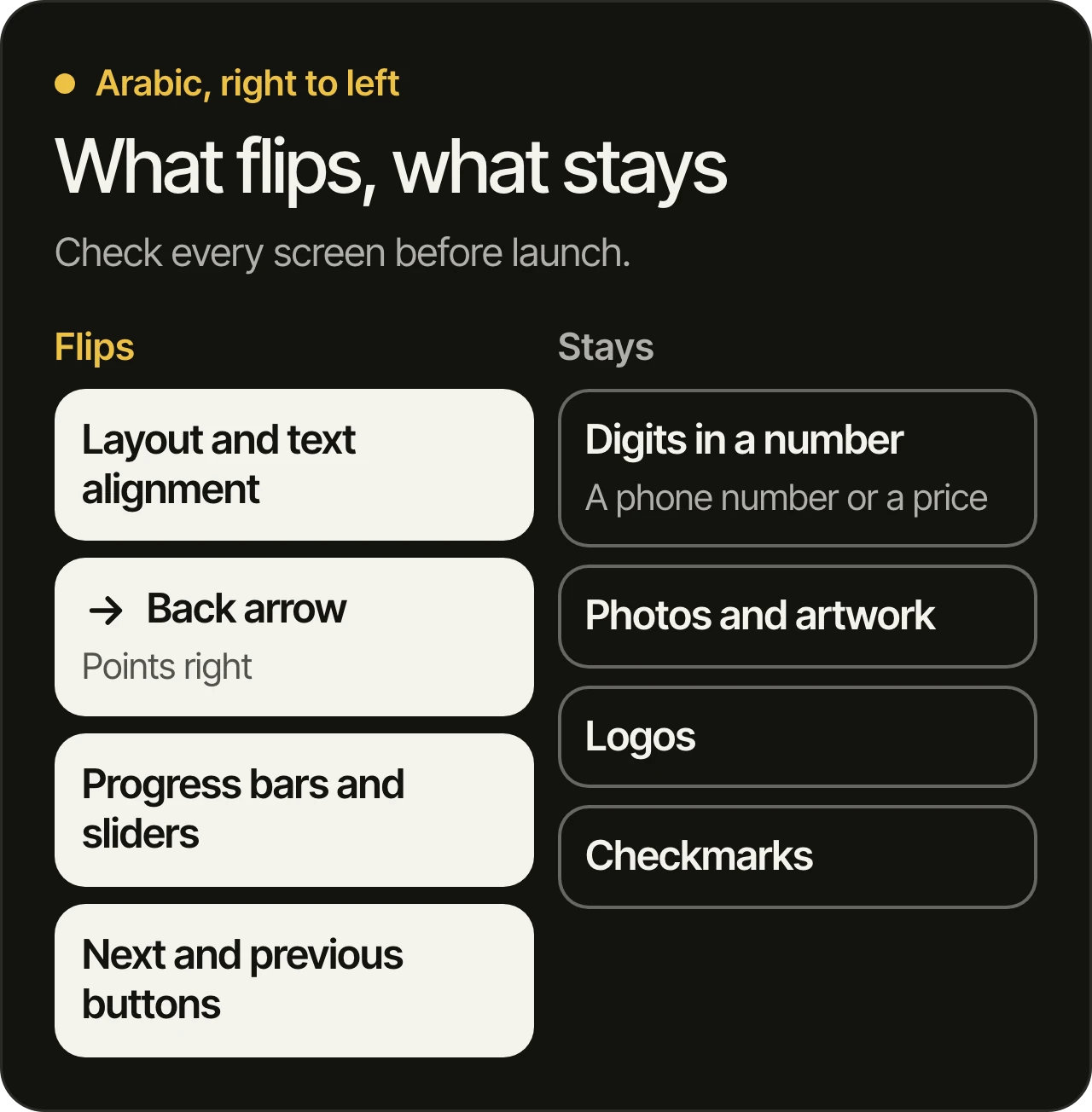
- Flip the layout and the text alignment, the back button (it points right in Arabic), progress bars and sliders, and next and previous buttons.
- Keep the order of the digits in a number such as a phone number or a price, photographs and artwork, logos, and marks like the checkmark.
- Align a paragraph to its own language. An English paragraph on an Arabic screen stays left aligned.
- Choose the numerals on purpose. Apple notes that Arabic text may use Western or Eastern Arabic numerals, and that the choice varies by country and even within one. Pick one for your audience and use it on every screen, receipt and message.
Mixed scripts and longer French
Names, addresses and shop names often mix scripts, such as a French street name inside an Arabic sentence. Android’s guidance warns that inserted text can show up in the wrong order, and it gives the app a way to declare the direction of each piece. Ask your developers whether they use it, and test with real names. French also usually runs longer than English, so buttons, tabs and cards must grow or wrap instead of cutting a word in half.
Let people choose the language
People can set a language for a single app on their phone, and the app should follow it. Offer a switch inside the app too, so a customer can move between Arabic, English and French without leaving.
How do Lebanese customers pay inside an app?
Many pay cash on delivery or with cards linked to dollar accounts, and digital payments are growing gradually, according to the US government’s guide to e-commerce in Lebanon. So offer cash on delivery next to card, show amounts in the currency of the sale, and never make card the only way to finish an order.
Treat cash on delivery as a payment method
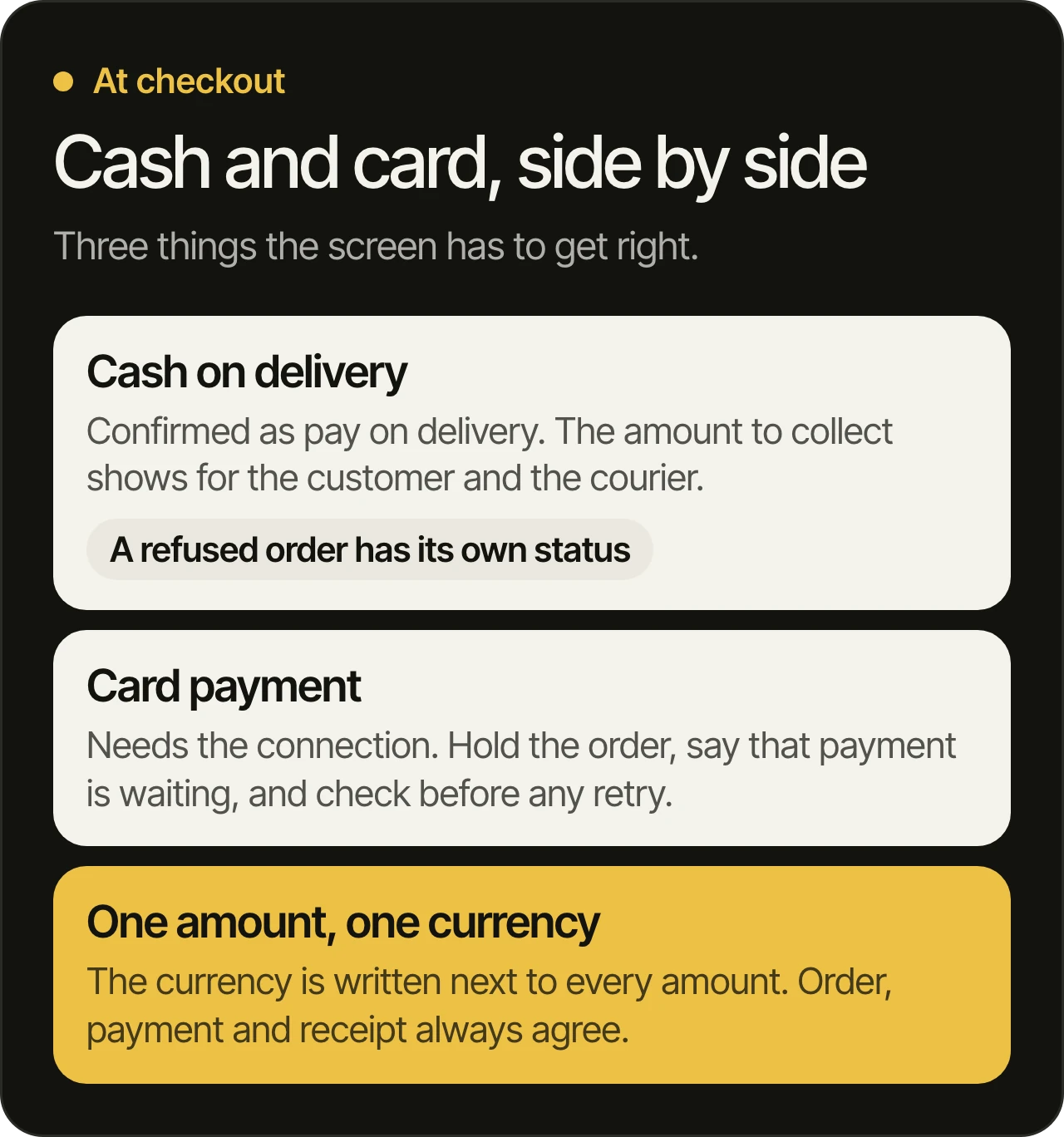
It is not a fallback. The order is confirmed and marked “pay on delivery”, and the amount to collect shows on the customer’s screen and on the screen of the person delivering. Plan for the order that is refused at the door: it needs a status of its own.
Expect card payments to need the connection
A card payment has to reach the bank in near real time. Android’s guidance uses a bank transfer as its example of a write that cannot wait in a queue. So the screen holds the order, says that payment is waiting, and checks the status before it tries again.
Show one amount, in one currency
Write the currency next to every amount, and use one currency on each screen. Save the amount and the currency with the order when it is placed, so that a later change of price or rate never rewrites an old order. Which payment providers you can use depends on your bank and your business, so settle that early: it decides what the checkout can offer.
How should you test before launch?
Test on a mid-range phone, on a slowed-down connection, with the phone set to Arabic, and by cutting off the app in the middle of a task. Ask someone who reads Arabic as a first language to use it without help. Then repeat the checks on every new build, because new screens bring old problems back.
- Switch the phone to airplane mode halfway through an order, then back on. The order should exist once, with nothing lost.
- Force the app to close in the middle of a form and open it again. Your entries should still be there.
- Ask your developers to run the app on a slowed-down connection and on a mid-range phone, not only on the newest one.
- Set the phone to Arabic, then to French, and open every screen, including errors and receipts. On Android, the developer settings have a “Force RTL layout direction” option that mirrors any app.
- Place one cash order and one card order, and mark one of them as refused at the door.
With us, a new build to try every week means you run these checks on your own phone while changes are still small. Every change passes automated tests and automated code review, and one of our developers reads it before it ships. How we test and review every change is written down so you can compare it with any team’s answer.
Questions owners ask
Can one app switch between Arabic and English?
Yes, and French too. Language and direction are settings of the whole app, so one app can follow the phone’s language or offer a switch inside it. It works when every text and every layout was built for this from the start, not added screen by screen later.
Do we need an offline mode?
Not a full one. Most apps need to open with saved data, keep what people typed and finish an action once the connection returns. Android’s guidance says an app can count as offline-first even if it cannot write data while offline, as long as it can read. Decide which actions must work offline and which should say that they are waiting.
Which payment methods should a Lebanese app support?
The ones your customers already use. For many businesses that means cash on delivery next to card payments, with amounts in the currency you sell in. Ask your customers and your bank, then build the checkout around the answer.
Should the app work on older phones?
Yes, within reason. Check which phones your own customers use, from your store and web analytics if you have them, and test on a mid-range or older phone as well as the newest one. Heavy images, long lists and animations are where slower phones show the problem first.
Can the same app serve Lebanon and the Gulf?
Yes, if language, currency, payment methods and store listings are settings for each market instead of copied screens. The habits that suit Lebanon, such as saved drafts and safe retries, help in every market. Our office is in Dubai, and our team works remotely in Beirut.
Planning an app for Lebanon?
Book a free 45-minute consultation. We go through your product before the call. If your app is already live and people complain about these things, we start with a written audit, as described in taking over an app from another developer, and who can take over your app explains how to choose the next team. See mobile app development and our page for Lebanon.